Live loop launcher for Android
Loop Pads 24
Tap into your next jam.
Launch loops on the beat. Chop them into something new. Record the whole performance, right on your phone.
4.5 out of 5
Free packs to get started. Go PRO to unlock the whole library.
Read the full Google Play description ↓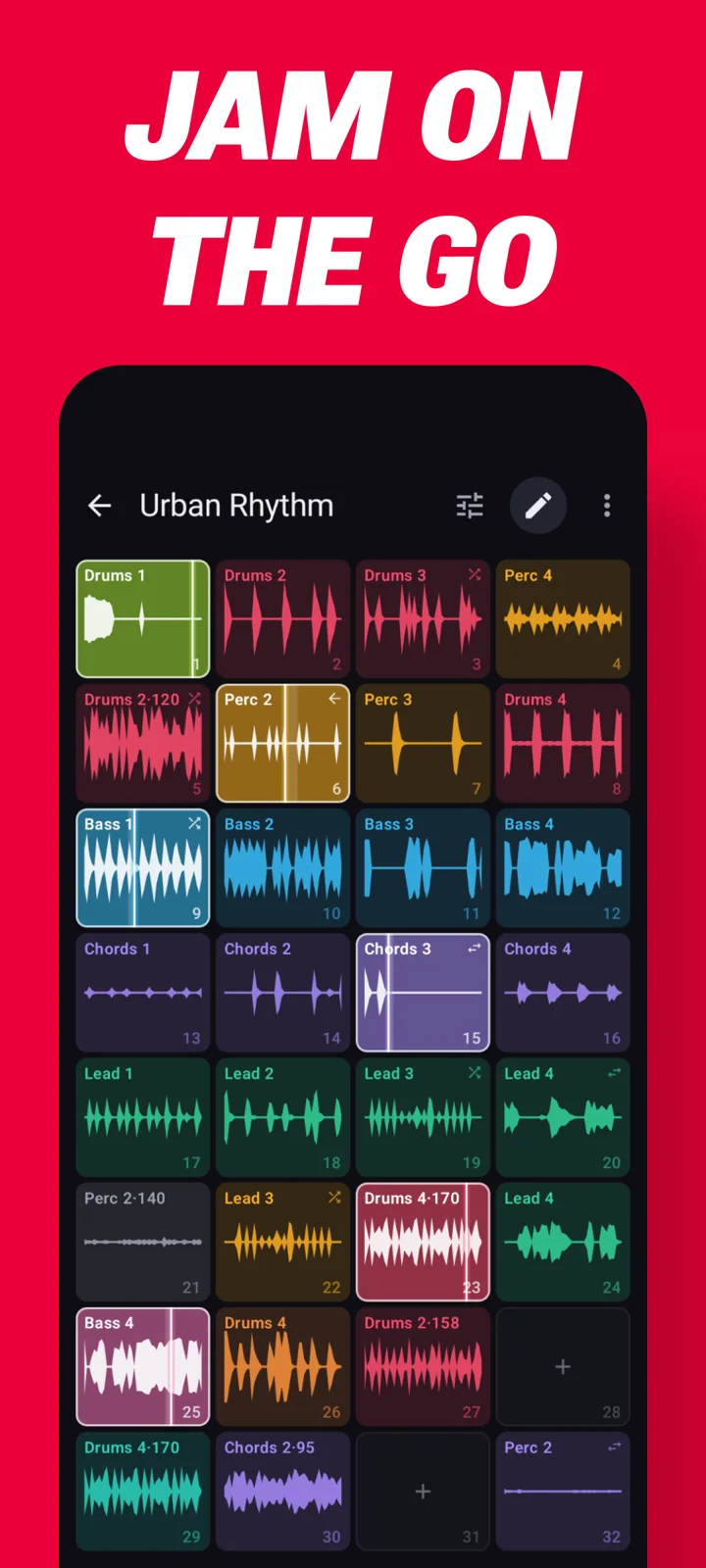
Start with a tap
Make music in seconds.
Go deeper whenever you want.
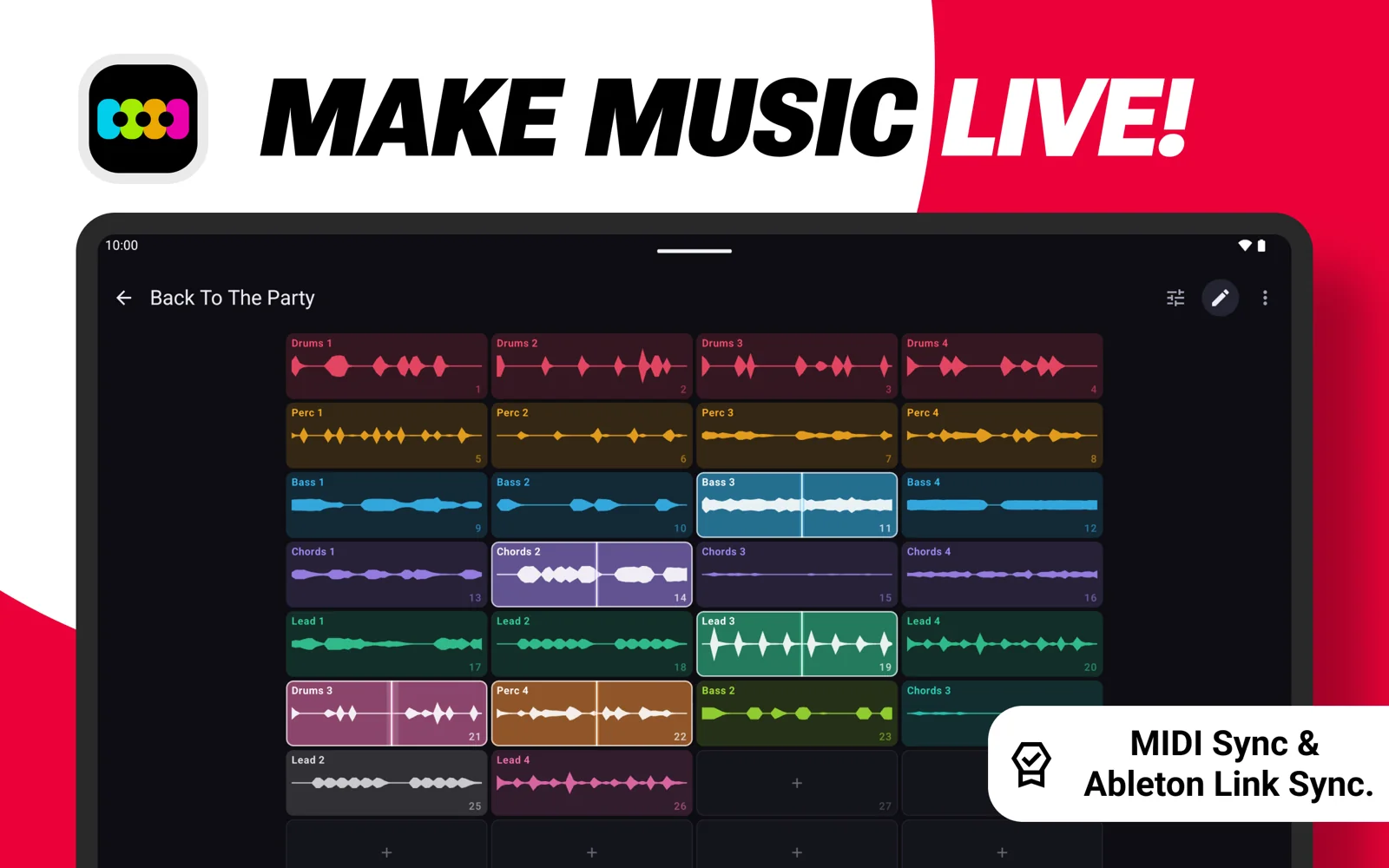
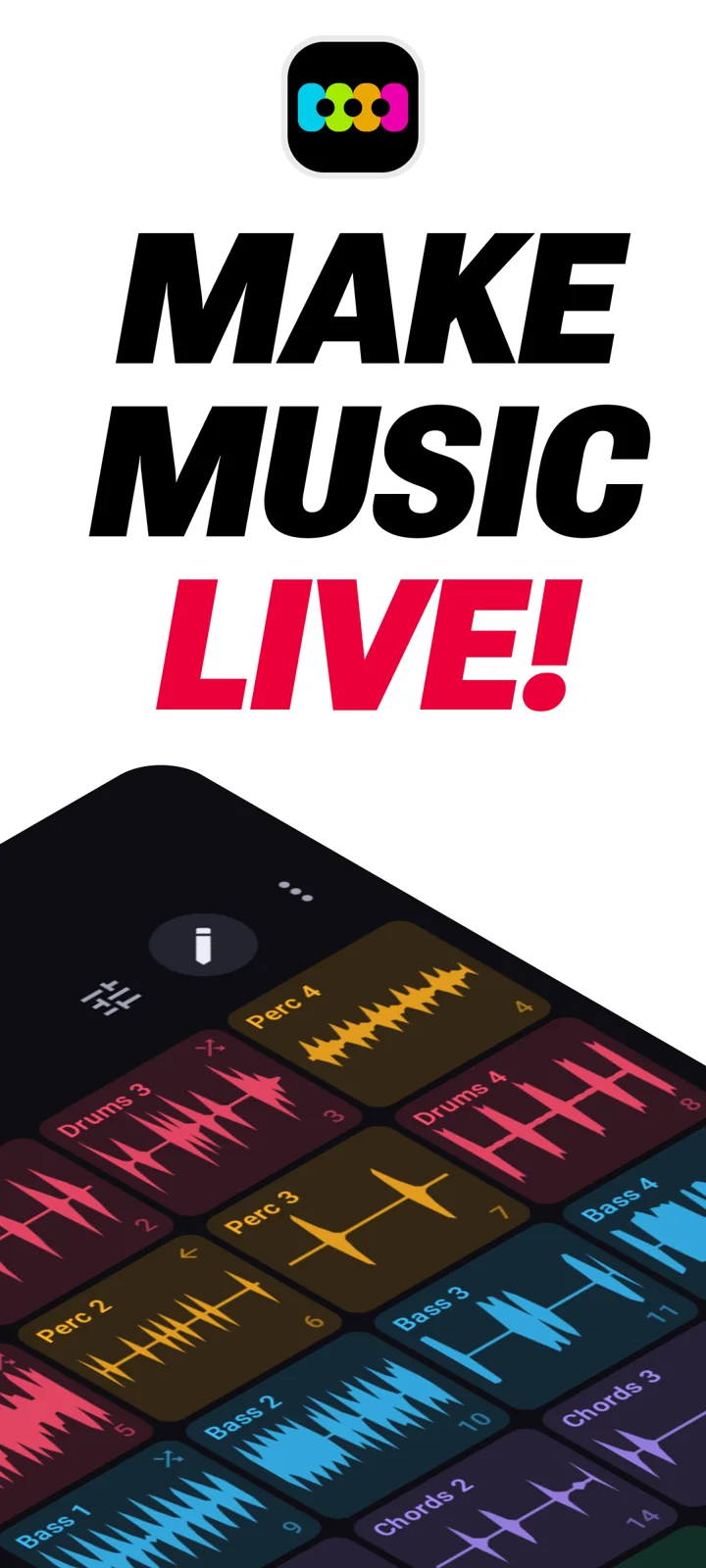
Pick a sound pack and tap the 4 × 8 clip grid to bring in drums, percussion, bass, chords and leads. Choose beat, half-bar or full-bar launch sync to keep your loops in time. No experience needed.
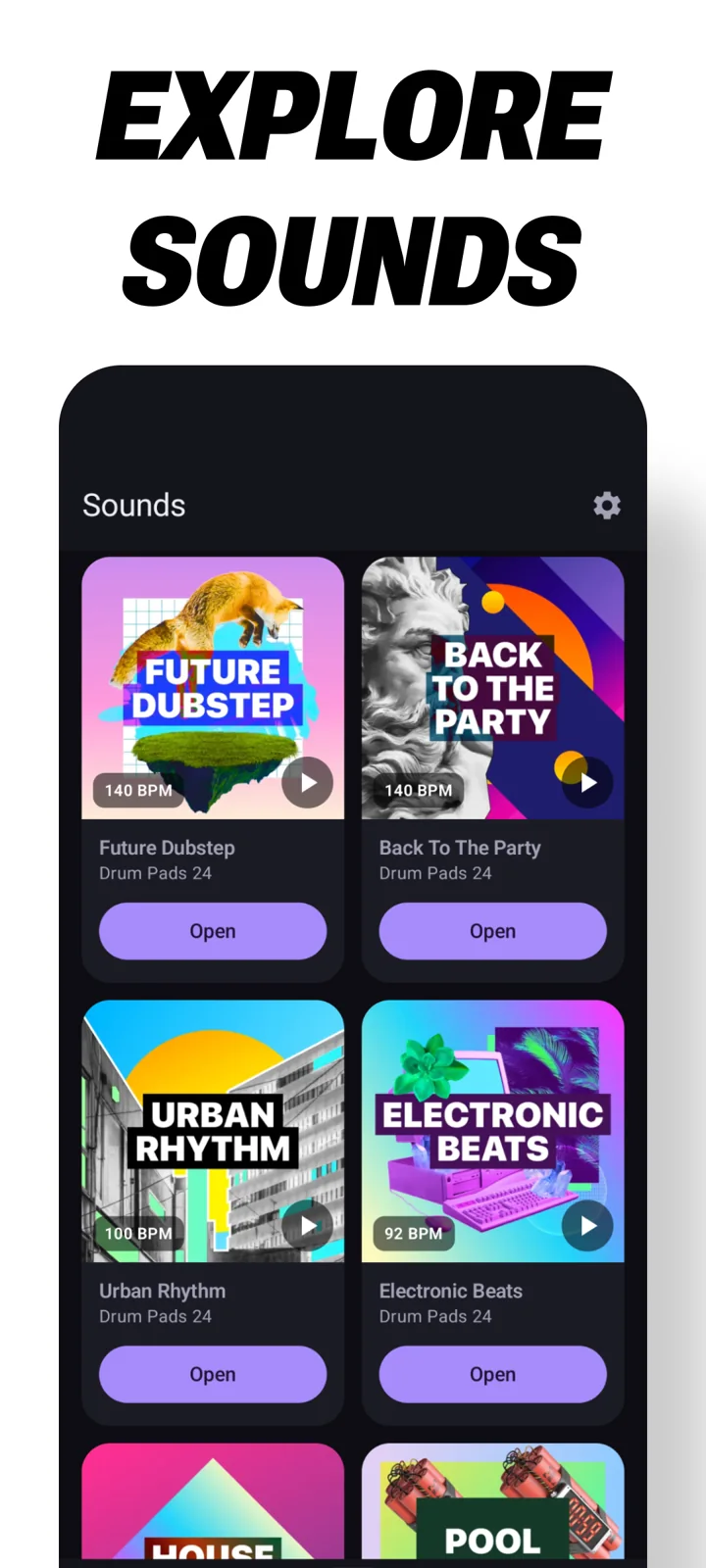
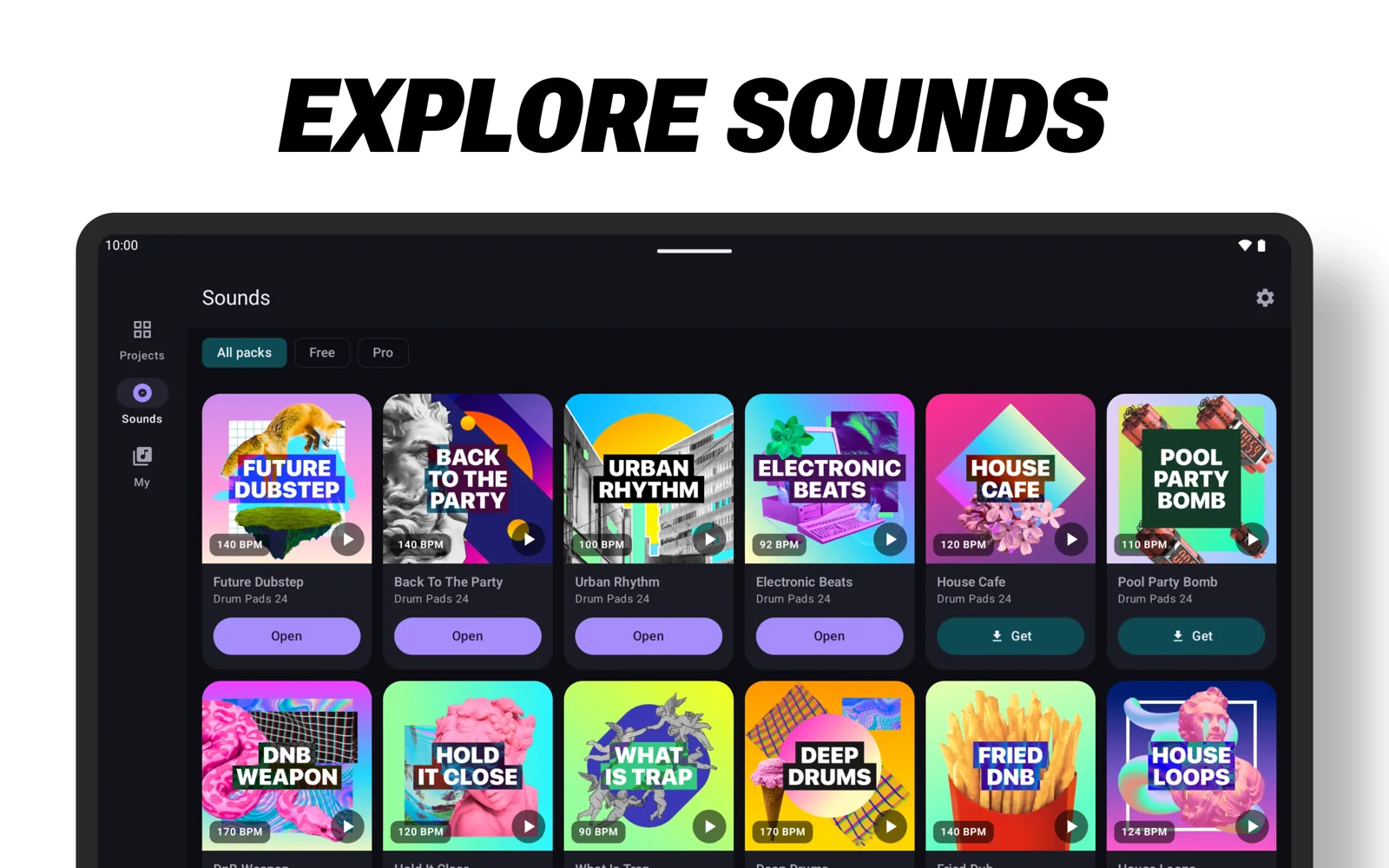
Explore trap, house, dubstep, drum & bass, grime, afro and moombahton. Download a pack to play offline, or roll the dice on a clip for a new pattern.
01 / Slice & sequence
Take a loop apart.
Make it your own.
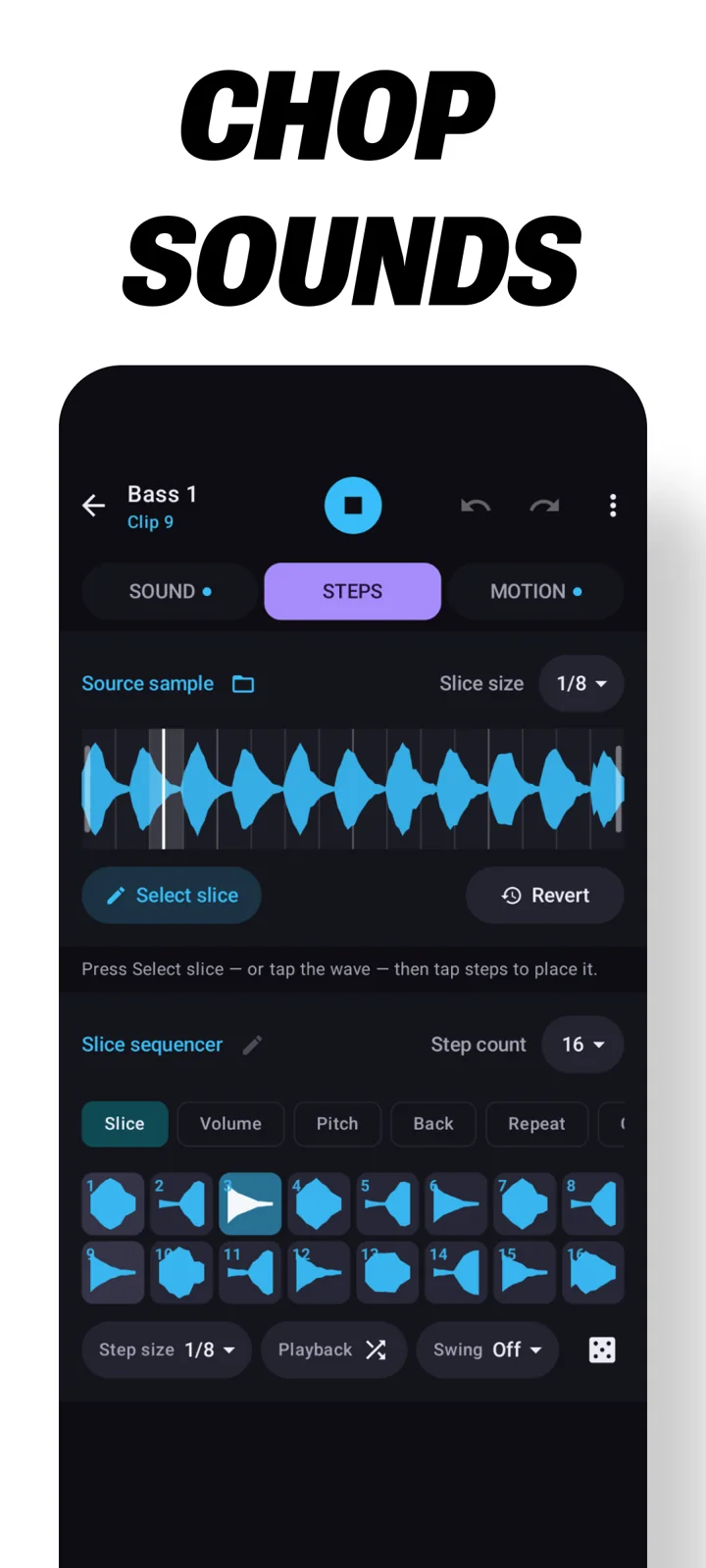
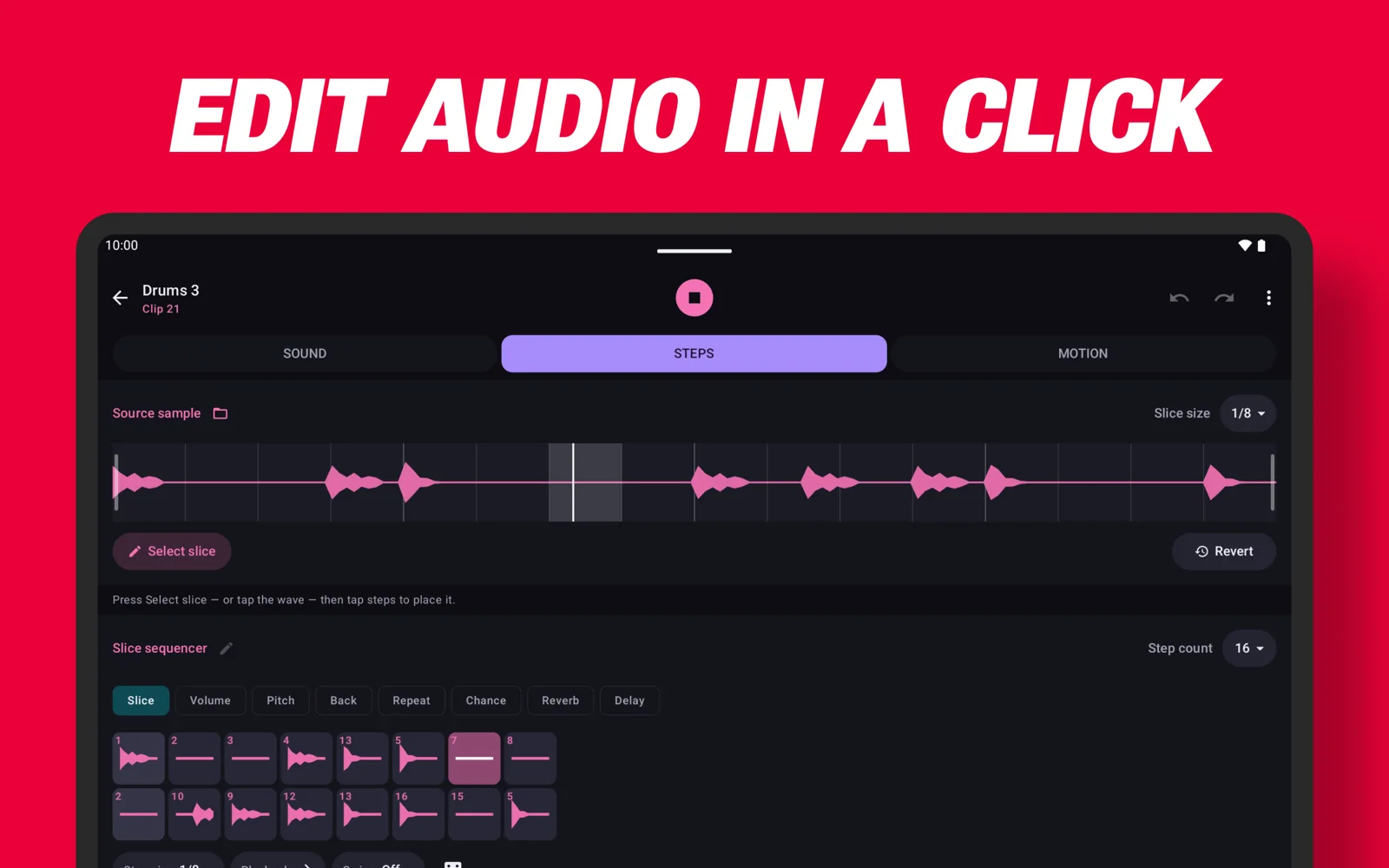
Chop a loop into slices, then paint the pieces onto a step sequencer in any order. Trim it to the part you want, add swing, or run the pattern at half or double speed.
- Play forwards, in reverse, ping-pong or random order.
- Set probability, level and pitch per step, with a ±24-semitone range.
- Add two-, three- or four-hit ratchets. Lock your favourite steps before randomizing.
- Set reverb and delay sends, pan, bit crush and drive for individual steps.
02 / Automation
Draw movement
into your music.
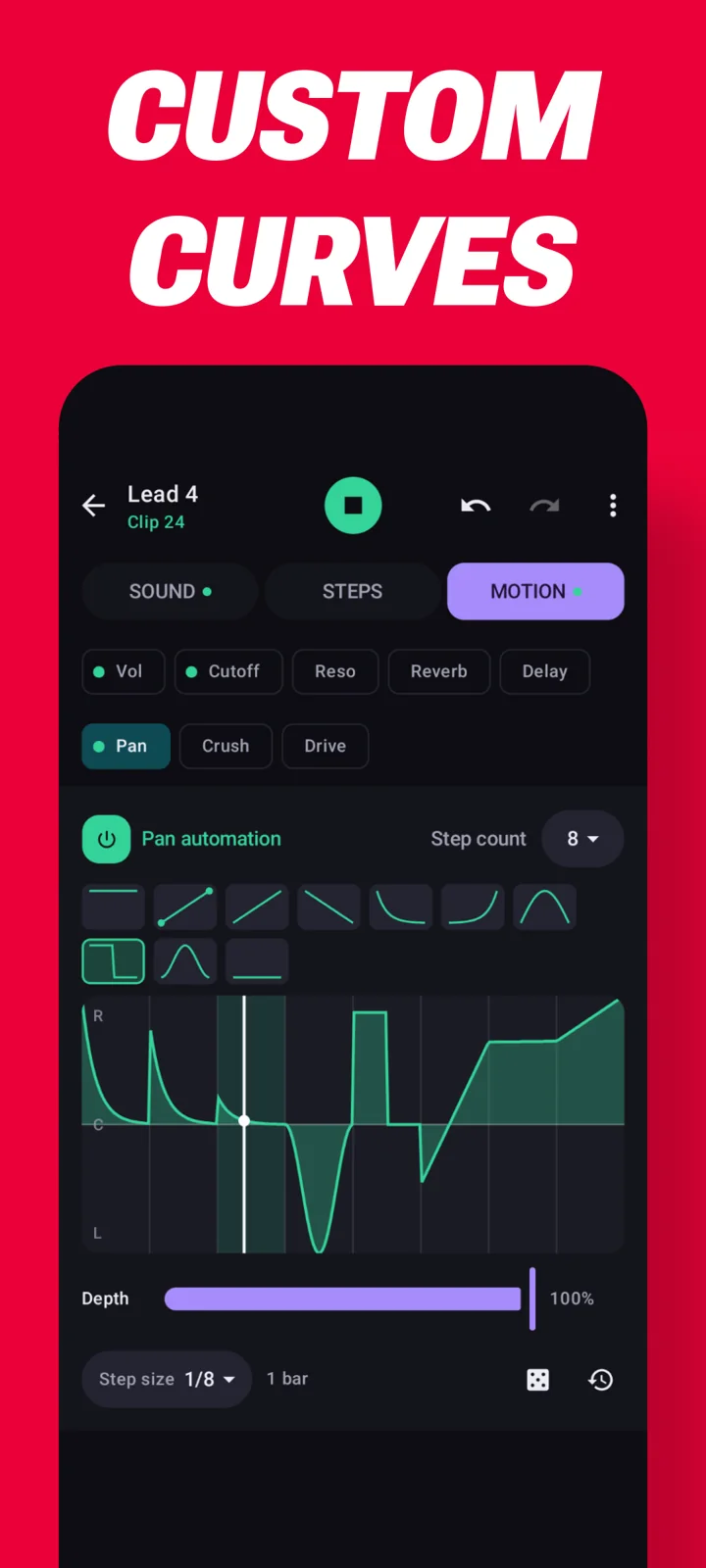
Draw curves for volume, filter cutoff, resonance, pan, crush, drive and both effect sends. Each automation lane can run at its own speed and length.
- Layer a slow filter sweep underneath a faster pattern.
- Give every clip its own volume, pan, low-, high- or band-pass filter, bit crush and drive.
03 / Mix & master
Shape the whole sound.
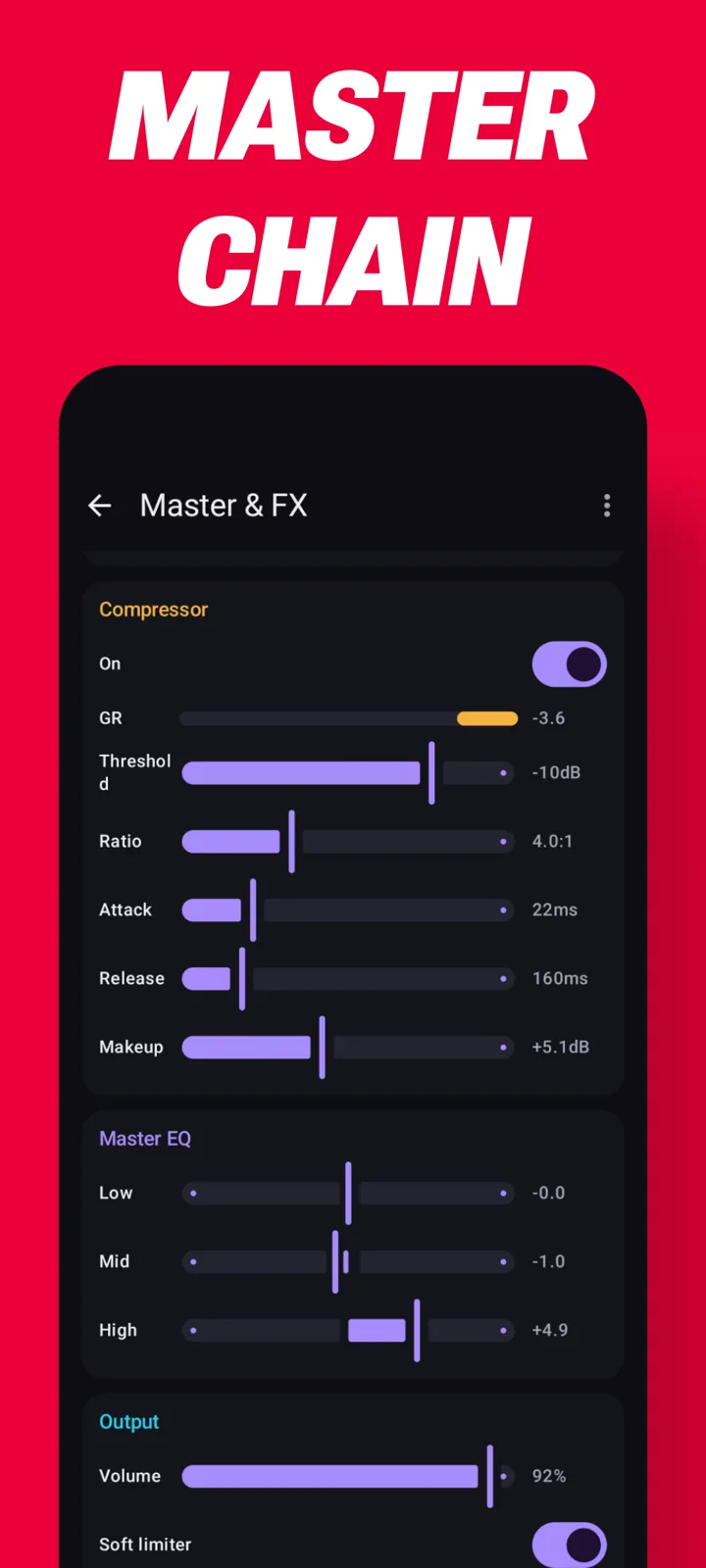
Send clips to a plate reverb and a tempo-synced delay with tape-style pitch glide, ping-pong and feedback tone. Then shape the master output.
- A 3-band EQ balances the mix.
- A compressor includes a live gain-reduction meter.
- A limiter completes the master chain.
04 / Arrange & save
Keep the music running.
Move, copy and swap clips while you play. Change tempo mid-performance and use 10 choke groups to choose which clips cut each other off.
- Bring in loops from packs you own and warp them to the project tempo.
- Choose re-triggering for drums or repitching for tonal parts, per clip.
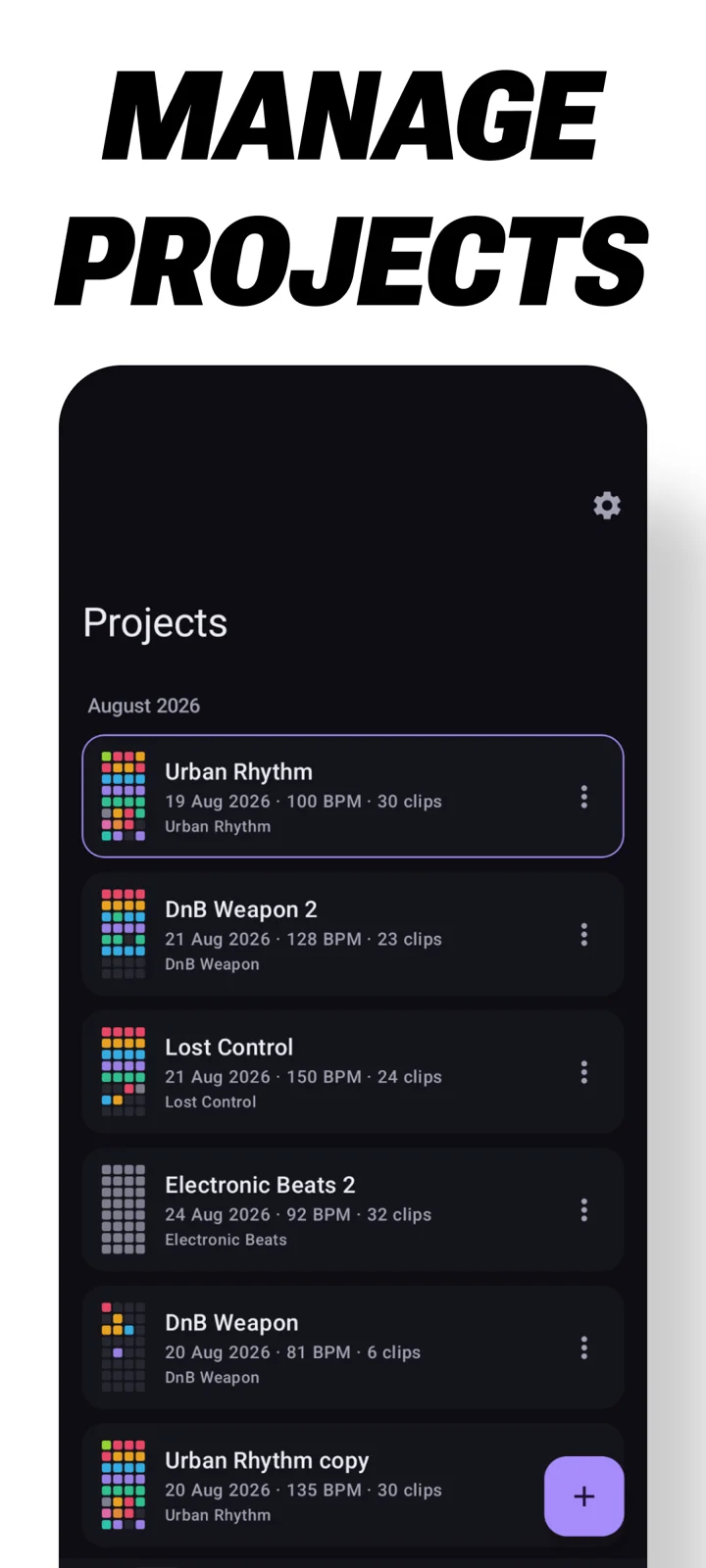
- Save projects with their grid, tempo, edits, mixer and effects.
05 / Record & share
Keep the take.
Share the moment.
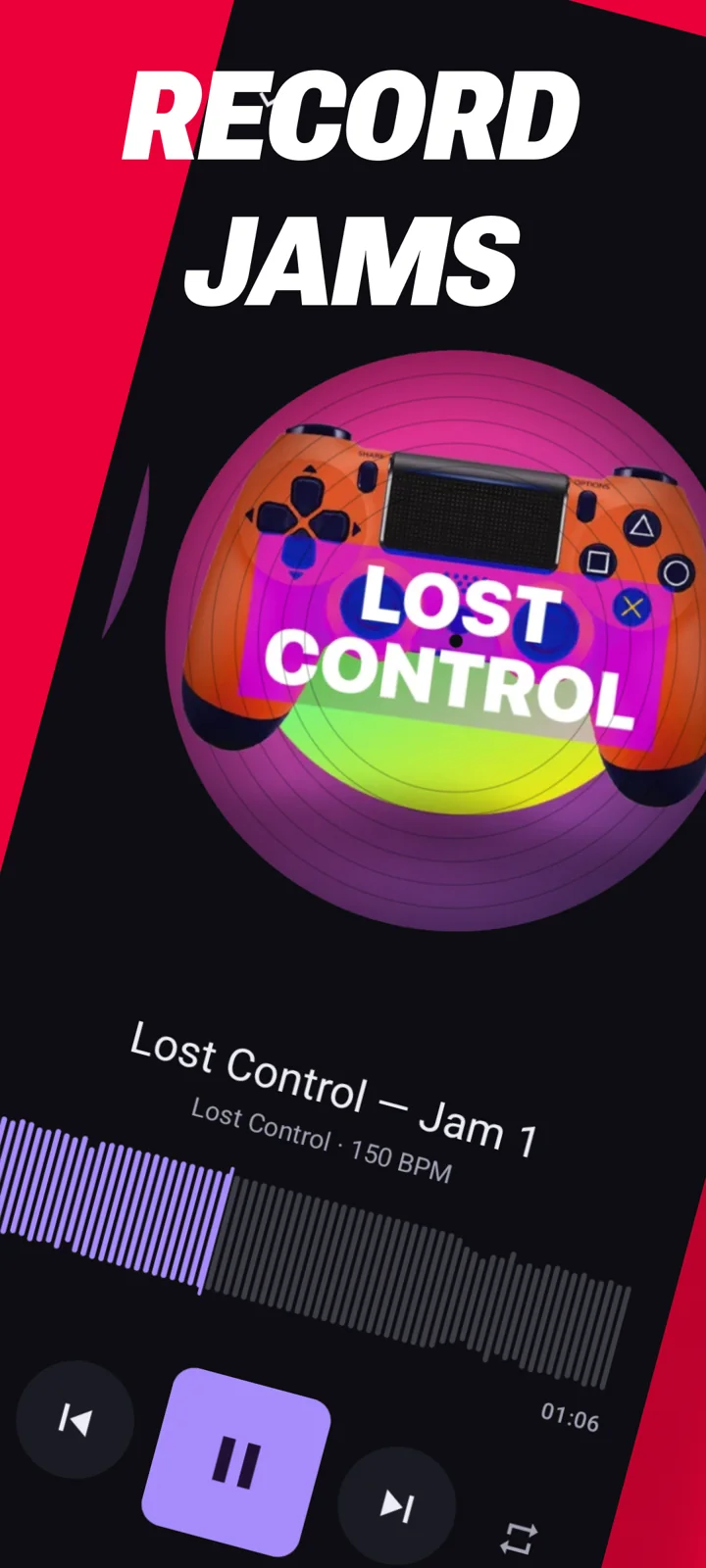
Record your jam to WAV, then trim it, rename it and add your own artwork. Playback and recording can continue with the screen off.
- Export a spinning-vinyl video in portrait 9:16 or landscape 16:9.
- Save your performance video to your gallery.
Play with your gear
Connect your setup.
MIDI control & clock
Connect a controller over USB or Bluetooth LE and use MIDI Learn on any pad. Send MIDI clock to your drum machines and synths, or follow their clock.
Ableton Link
Sync tempo and phase with Ableton Live and other Link apps. Stream the master output into Live 12.4 or later as a Link Audio source.
Room to play
At home on a tablet, too.
More Android screenshots
Loop Pads 24 PRO
Start free. Explore more with PRO.
Some sound packs are free. A PRO subscription unlocks every PRO pack, plus packs added while you’re subscribed. Choose monthly or yearly billing, with a free trial. Check Google Play for current pricing and trial eligibility; cancel through Google Play.
Your projects keep the arrangements you build.
Features on this page describe the Android app. The web and iOS versions have different feature sets.
From Google Play
Full app description
The complete description, from first tap to advanced performance.
Tap a pad. The loop drops in perfectly on the beat.
Loop Pads 24 is a live loop launcher for your phone. Pick a sound pack, start tapping, and you're making music in seconds — every loop lands in time, so nothing is ever off-beat. No experience needed.
Then, when you want to go deeper, it goes a long way down.
Start Playing In Seconds
- A 4x8 grid of clips — drums, percussion, bass, chords and leads, one tap each
- Every loop launches in time. Sync to a beat, half a bar or a full bar
- Nearly 30 sound packs: trap, house, dubstep, drum & bass, grime, afro, moombahton and more
- Download a pack once, play it offline forever
- Roll the dice on any clip for an instant new pattern
Take A Loop Apart, Put It Back Together
Chop any loop into slices and rebuild it however you like:
- Slice it, then paint the pieces onto a step sequencer in any order
- Play the pattern forwards, in reverse, ping-pong, or random — random deals a fresh order every cycle, so it never repeats
- Stretch the same pattern to half speed or double speed
- Trim a loop to just the part you actually want
- Add swing, from a subtle push to a full shuffle
Program Every Single Step
This is where it stops being a pad app.
Every step carries its own settings:
- Probability — set a step to fire 40% of the time and the pattern comes alive, different every pass but still yours
- Send levels per step — throw one snare deep into the reverb and leave every other one bone dry, or delay-throw a single note into the next bar
- Pan, bit crush and drive per step — hard-left one hit, wreck another, dirty up only the last note of the bar
- Pitch any step up or down 24 semitones
- Ratchets — turn one step into a two, three or four-hit roll
- Level per step, and lock the steps you love so the dice never touches them
Draw Your Automation
Draw curves that move things while you play: volume, filter cutoff, resonance, pan, crush, drive and both effect sends. Each lane runs at its own speed and length, so a slow filter sweep sits underneath a fast pattern and never lines up the same way twice.
Mix It, Then Master It
- Every clip gets its own volume, pan, filter (low, high or band pass), bit crush and drive
- Two shared sends: a plate reverb, and a tempo-synced delay with tape-style pitch glide, ping-pong and feedback tone
- The whole mix runs through a 3-band EQ, a compressor with a live gain-reduction meter, and a limiter — the same chain you'd put across a finished track
All of it is live. Nothing stops, reloads or glitches while you change it.
Arrange On The Fly
- Move, copy and swap clips anywhere on the grid while the music runs
- 10 choke groups — decide what cuts off what, or let clips layer up
- Change tempo mid-performance, no stop
- Pull in loops from any pack you own at any BPM — they warp to your project: re-triggered for drums, repitched for tonal parts, your call per clip
Plays With Your Gear
- MIDI controllers over USB or Bluetooth LE, with MIDI Learn on any pad
- MIDI clock in or out — drive your drum machine and synths, or follow them
- Ableton Link — lock tempo and phase with Ableton Live and other Link apps, and stream your master output into Live 12.4+ as a Link Audio source
Record, Trim, Share
- One tap records the whole jam to a WAV, exactly as you hear it
- Trim the take, rename it, add your own artwork
- Export a spinning vinyl video in 9:16 or 16:9 to your gallery
- Keeps playing and recording with the screen off
Projects That Stay Yours
Your work saves as projects, not sessions you lose. Each keeps its own grid, tempo, edits, mixer and effects.
Loop Pads 24 Pro
Some packs are free, so you can start right now. A PRO subscription unlocks every PRO pack, plus every pack added while you're subscribed. Everything you build stays yours.
Monthly or yearly, with a free trial. Cancel any time in Google Play.
Terms of Service: https://drumpads24.com/legal/terms-of-service
Privacy Policy: https://drumpads24.com/legal/privacy-policy