Carnival
133 BPM · by Beat Squad
Free music pad in your browser
Tap the pads or play the keys. Every loop stays in sync, and there is nothing to install.
Free on Android and iOS. On a computer, you get a code to scan.
Tap a pad to start its loop. All 20 loops run on one shared 16-beat cycle, so a pad you switch on joins in sync without waiting for the next bar, and you can stack as many as you like. Hold Mute to drop the whole mix, hold FX A or FX B for delay throws, and press Record to download your jam as an audio file.
1–4 drums, Q–R bass, A–F percussion, Z–V chords and 5–8 leads. If a key does not respond, switch your keyboard layout to US.
The sound library
A taste of the library. Press play on a cover to hear the pack.
Try this first
Every pad fits every other pad, so nothing here can go wrong. These are starting points written from the loops themselves: which pads to press, in what order, and where to throw an effect. Keys are shown next to each pad.
Start with Drum 1 1, a four-on-the-floor kick with hats on every offbeat. Add Bass 2 W, a held sub that re-strikes on the fourth beat, then Chord 2 X, a sustained pad that changes on every beat. Once it settles, bring in Lead 1 5, a bouncing offbeat melody. Hold FX B through the last beat of a bar and let go on the one.
Bass 1 Q holds a sub note through bars one and three and rests in between. Bass 4 R answers in bars two and four. Press both and the bassline talks to itself. Put Drum 2 2 underneath, a syncopated kick with space in it, then Lead 4 8, which also lives in bars two and four, so it lands on the answer every time.
Drum 4 4 is kick and sub with almost no top end, so give it some: Perc 3 D is a bright sixteenth-note texture that fills in across every two bars. Add Bass 3 E, one heavy sub hit every two bars, and Chord 4 V, short stabs bunched at the end of each bar. Keep it sparse. Three or four pads is plenty.
Start with only Chord 3 C, a two-bar chord phrase, and Lead 3 7, a single note on the second beat of every bar. Let that run twice. Add Perc 1 A, which plays in bars one and three, then Drum 3 3, the break with a fill at the end of each bar. When it is full, hold Mute through the last bar and release it on the downbeat.
Stack Drum 1 1, Perc 2 S, offbeat hats with a roll every second bar, Bass 2 W, Chord 1 Z, bright stabs on every offbeat, and Lead 2 6, the fast plucked riff. It is a lot, on purpose. Now play the transport instead of the pads: tap FX A for single echoes, hold FX B for a bar, hold Mute for a beat. Press Record before you start and you keep the take.
The rule behind all five: one drum loop, one or two bass loops, and then contrast. Busy against sparse, bright against dark, a pad that plays every bar against one that rests every other bar. What each row does lists every loop so you can plan the next one, and the sound packs page shows where the apps take it.
The grid
Five rows, four loops each, one colour per row. Every loop is 16 beats at 133 BPM and starts on the same downbeat as the others, so these notes are about character, not timing.
Drum 1 is the full kit: four-on-the-floor kick, hats on every offbeat, identical in all four bars. Drum 2 keeps the kick but syncopates it, with gaps that leave room for percussion. Drum 3 sits in the mid-range with a short fill at the end of each bar and a variation in the third. Drum 4 is kick and sub with almost nothing above it, made to sit under the percussion row.
All four are sub-bass, so use one or two at a time and mind the volume. Bass 1 holds a note through bars one and three and rests in two and four. Bass 2 is the steady one: a sustained note re-struck on the fourth beat of every bar. Bass 3 is a single heavy hit every two bars, the loudest low end in the pack. Bass 4 plays only in bars two and four, the answer to Bass 1 or Bass 3.
No low end here. This row adds movement on top of the drums. Perc 1 is a syncopated phrase in bars one and three. Perc 2 is offbeat hats with a roll at the end of every second bar. Perc 3 is a bright sixteenth-note texture that fills in across each pair of bars. Perc 4 is a mid-range offbeat pattern that repeats every bar.
The harmony, from stabs to pads. Chord 1 is bright stabs on every offbeat. Chord 2 is a sustained pad that changes chord on every beat, the warmest bed in the pack. Chord 3 is a two-bar phrase, syncopated in its first bar and on the beat in its second. Chord 4 is short stabs that bunch up towards the end of every bar.
Melodies that sit above everything else. Lead 1 is a bouncing offbeat line, the easiest to add. Lead 2 is a fast plucked riff, the busiest loop in the pack. Lead 3 is one note on the second beat of every bar and a lot of space. Lead 4 is a short answering phrase that plays only in bars two and four.
Loop Pads for Android
Slice loops, sequence steps, draw automation and record your performance. Discover Loop Pads 24, the loop pad app for Android phones and tablets.
Loop Pads for iPhone & iPad
Mix loops, drum kits, synth melodies and vocals with DJ effects on iOS.
Loop pad, beat pad, looper
A loop pad, a beat pad and a looper look alike: a grid, a tap, a sound. They behave differently, and the difference decides how fast you sound good.
Each pad fires one hit: a kick, a snare, a clap. You play the rhythm yourself, hit by hit, which is finger drumming. It rewards practice and timing, and it is where most online beat pad pages live. Nothing keeps time for you.
A looper records what you sing or play and repeats it, layer by layer. It needs a microphone or an instrument and a steady first take, and it builds up whatever you give it. It is an instrument for performers, not a sound library.
Each pad plays a ready-made phrase that stays in time with every other pad. You make the arrangement: what plays, what rests, when the drop comes. Timing is handled, so a first-timer sounds tight from the first tap and a producer can audition combinations fast. That is what this page is, and it is why every combination above works.
Want the one-shot side too? Loop Pads 24 for Android adds a step sequencer and loop slicing on top of the loops, and its sister app Drum Pads 24 is the finger-drumming pad.
Good to know
Yes. Everything on this page is free, with no sign-up. The Loop Pads apps are free to download as well. Loop Pads 24 for Android starts you with free packs, and going PRO unlocks the whole library. Loop Pads for iOS is free with a Premium upgrade.
Mostly different names for the same idea: a launchpad-style grid where every pad plays a sound, and you build a track by combining them. A drum pad or sample pad usually fires one hit per tap. A loop pad keeps a whole phrase playing until you switch it off, which is what Loop Pads does, so a beat, a bassline and a melody can run together from a few taps.
No. A looper, loop station or loop pedal records your own voice or instrument and repeats it. Loop Pads plays ready-made loops from a sound pack, so you need no microphone or instrument. If you want to record yourself layer by layer, you need a looper app or pedal instead.
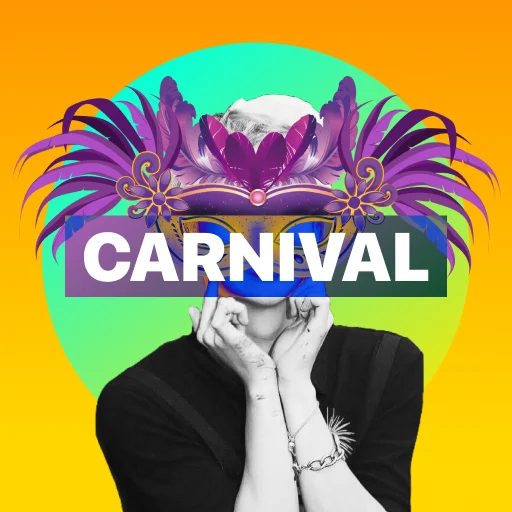
One pack, Carnival at 133 BPM: 20 loops, with four each of drums, bass, percussion, chords and leads, all 16 beats long and made to play together. The apps have nearly 30 packs, from trap and house to dubstep and drum & bass. Hear the sound pack previews.
Yes. Press Record, play, then press Record again and the take downloads as an audio file: WebM in Chrome, Edge and Firefox, M4A in Safari. The recording captures the pad mix and effects, not a microphone. In a browser that cannot record, the Record button stays greyed out.
Yes, in the browser, with multitouch so you can hit several pads at once. For nearly 30 packs, loop slicing, step sequencing and effects, get Loop Pads 24 for Android. On iPhone and iPad, Loop Pads adds drum kits, synth melodies, vocals and DJ effects.
Not in the browser: the online pad responds to touch, mouse and the computer keyboard. Loop Pads 24 for Android works with MIDI pad controllers over USB and Bluetooth LE, sends or follows MIDI clock, and syncs with Ableton Link.
Any current browser with Web Audio: Chrome, Edge, Firefox and Safari, on desktop, Android and iOS. Nothing to install and no account. The 20 loops are about 2 MB in total, and once you have played they are cached for next time.
Get the app
The Loop Pad app is free to download on Android and iOS. Loop packs, effects and recording, in your pocket.
Free download. Upgrade inside the app to unlock the full library. Loop Pads 24 on Android and Loop Pads on iOS have different feature sets.